


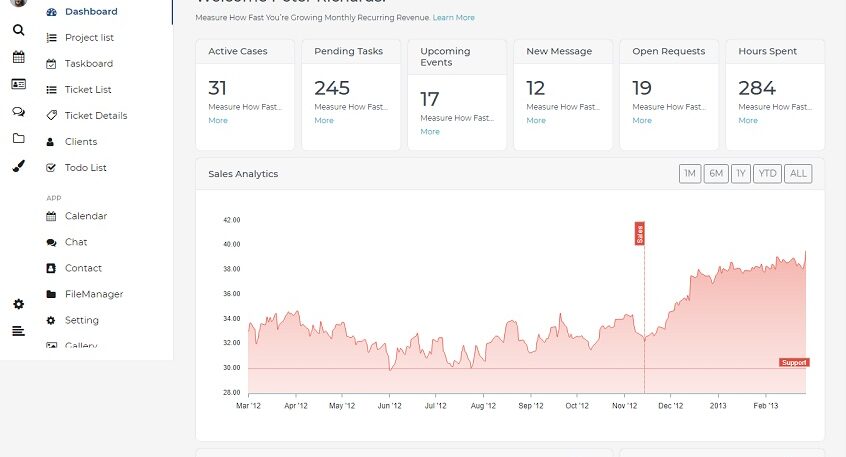
Excel has long been a trusted tool for managing business data. From finance and operations to reporting and inventory tracking, spreadsheets are often the first solution teams adopt. Their flexibility and familiarity make them easy to use, especially in the early stages of a business. However, as organizations grow, Excel often begins to show its limitations—not abruptly, but gradually and quietly.
Excel works well for individual productivity and small datasets, but it was never designed to function as a scalable system for growing teams. As data volume increases and more people rely on the same files, spreadsheets start to slow down, become error-prone, and difficult to manage. This is where Excel silently turns into a bottleneck rather than a productivity tool.
Why Excel Eventually Fails to Scale
Excel lacks the core capabilities required for large-scale operations. It does not support real-time multi-user collaboration reliably, offers limited access control, and has no built-in audit trail or data governance. As workflows become more complex, spreadsheets become harder to maintain and easier to break, increasing operational risk.
Common Warning Signs Businesses Ignore
One of the earliest indicators is version confusion, where multiple copies of the same file circulate across teams. Manual data entry and formula errors become more frequent, and validating numbers takes longer than generating them. Reporting turns into a time-consuming exercise, and decision-makers often work with outdated data. These issues compound over time, impacting productivity and confidence in the system.
The Hidden Cost of Spreadsheet Dependency
Although Excel itself is inexpensive, the cost of relying on it for critical operations is high. Teams lose hours reconciling data, correcting mistakes, and managing files. Errors lead to rework, delays, and sometimes financial loss. Compliance risks increase due to lack of access control and traceability. These hidden costs slow growth and divert focus from strategic initiatives.
The Natural Shift: From Spreadsheets to Systems
As businesses mature, spreadsheets naturally reach their limit. At this stage, the goal isn’t to replace workflows but to evolve them. Converting Excel workflows into custom software allows businesses to retain existing logic and processes while gaining the benefits of automation, structure, and scalability.
What Excel-to-Software Conversion Involves
Excel-to-software conversion focuses on understanding how your current spreadsheets work—formulas, validations, dependencies, and user interactions. These elements are then transformed into a secure web application that centralizes data, supports multiple users, and automates repetitive tasks. The result is a system that feels familiar but performs far better.
Key Benefits of Moving Beyond Excel
Custom software eliminates accidental formula changes and manual errors by locking business logic into the system. It provides a single source of truth, improves collaboration, and enables real-time dashboards and reports. Automation reduces dependency on manual effort, while scalability ensures the system grows alongside the business.
Why Businesses Delay This Transition
Many organizations hesitate due to fears of long development timelines, high upfront costs, or workflow disruption. Traditional software projects often reinforce these concerns. As a result, teams continue stretching Excel far beyond its intended purpose, even when it no longer serves them well.
How Excelloite Helps Businesses Upgrade Faster
At Excelloite, we specialize in transforming Excel workflows into custom web applications quickly and efficiently. By focusing on your existing processes, we deliver working software in just 48 hours. Businesses can review and test the system before making any payment, ensuring complete confidence before commitment. We also offer a best price guarantee, making the transition both low-risk and cost-effective.
When Is the Right Time to Move Away from Excel?
If Excel has become mission-critical, multiple teams depend on the same files, reporting is slow, or errors are increasing, it’s a strong signal that spreadsheets are limiting growth. Addressing this early prevents larger operational challenges later.
Final Thoughts
Excel is an excellent tool—but it was never meant to run growing businesses indefinitely. When spreadsheets start holding operations together, they eventually slow them down. Converting Excel workflows into software is not about change for the sake of change; it’s about building a reliable, scalable foundation for the future.
With the right approach, this transition can be fast, affordable, and risk-free—unlocking efficiency, accuracy, and long-term growth.

